
There are three ways of finding items: Find all items by name, Find all items by type and Find Low Stock items
To find all food items which match a description click the Find All by Name button, which you'll find at the top of the window in the icicles bar and a Find All Items by Name dialog box will appear.
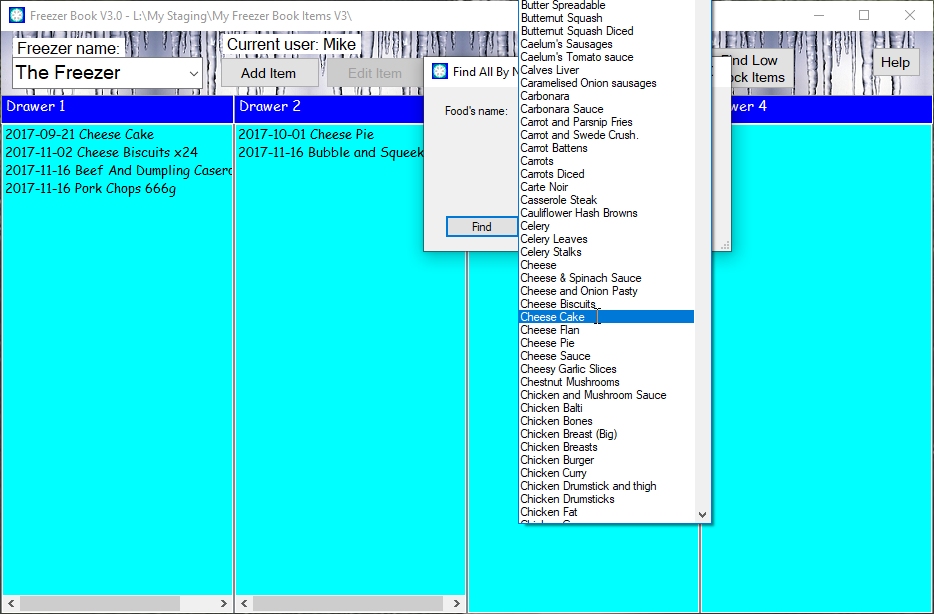
Fill in the Food's name box with some suitable text. You can, of course, use the small down arrow on the right to select any one of the food items which you have ever typed in although if you do this you might want to make slight alterations to the text which it puts in the box before you go ahead with the search.
Check one or both of the Optionsas appropriate and then press Enter or click the Find button.
You then will see all of the food items which match your find criteria. In this case, shown below, I put cheese in the box with no options checked.
You'll notice that the background of the drawers which contain found items have gone green: this is to remind you that you cannot click the Edit or Delete buttons to work with items highlighted by a Find All for the simple reasons:

To find all food items which match a type of food click the Find All by Type button, which you'll find at the top of the window in the icicles bar and a list of food types will appear.

Click an item on the list of food types to select the one you want. This will dismiss the list and the search results will be displayed.
If you change your mind and decide that you don't want to search for all items by type simply press the escape key to cancel the search.
In the case shown below, I selected Ready meals.
You'll notice that the background of the drawers which contain found items have gone orange: this is to remind you that you cannot click the Edit or Delete buttons to work with items highlighted by a Find All for the simple reasons:
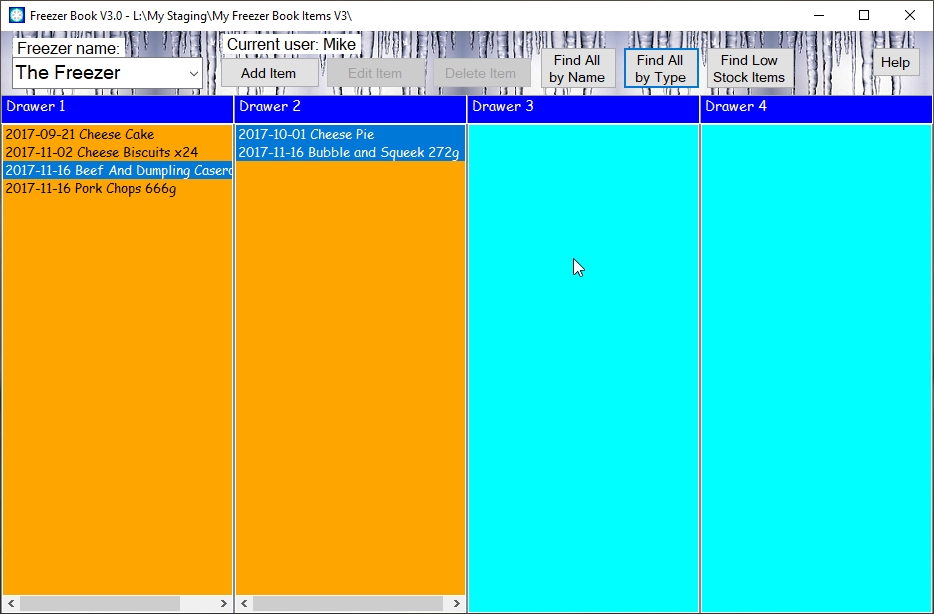
To find all food items which you are running low on, so that you can add them to your shopping list, click the Find Low Stock Items button, which you'll find at the top of the window in the icicles bar and you then will see all of the food items which you have identified as running low on. To see how to flag up Low Stock Items have a look here
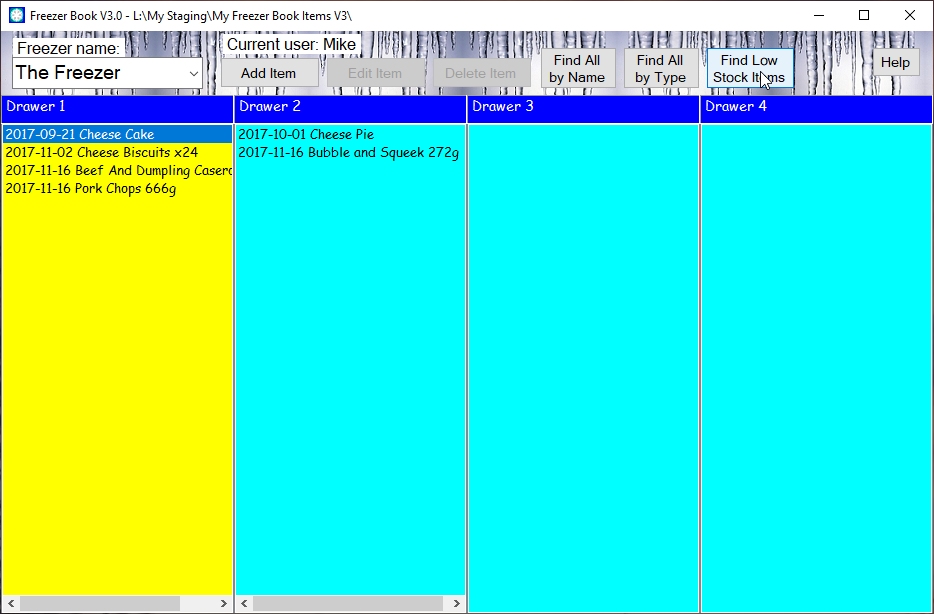
You'll notice that the background of the drawers which contain found items have gone yellow: this is to remind you that you cannot click the Edit or Delete buttons to work with items highlighted by a Find Low Stock Items for the simple reasons:
Click here to return to where you were.
Note. Where ever you see this symbolhover you mouse pointer over it to get more information.